YOUR EVERYDAY PDF COMPANION
Your PDFs.
Your way.
Scan a page. Find a file. Make it yours. Your everyday PDF tasks, together in one refreshingly simple Android app.
Built for Android No account needed
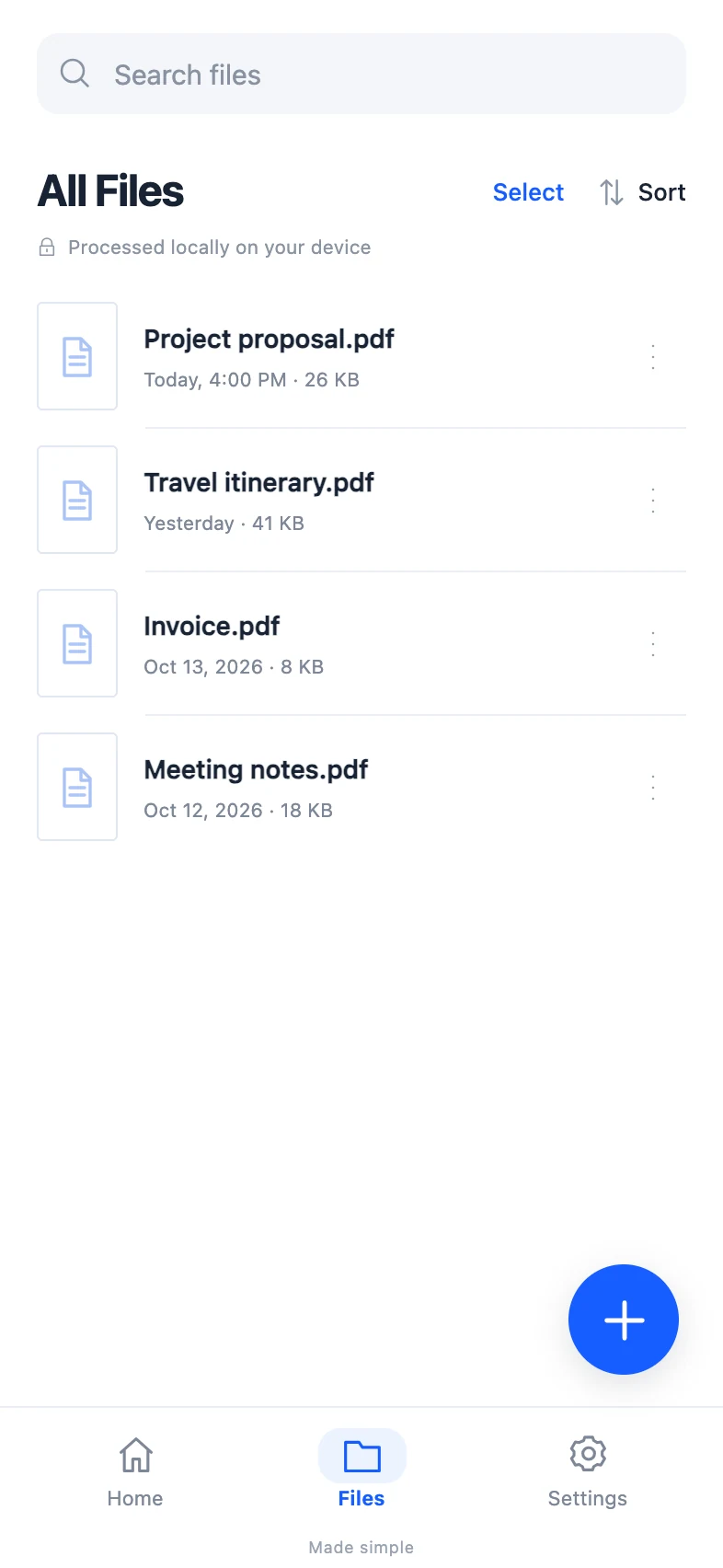
A LITTLE STRUCTURE. A LOT LESS FRICTION.
Everything you need.
Right where it belongs.
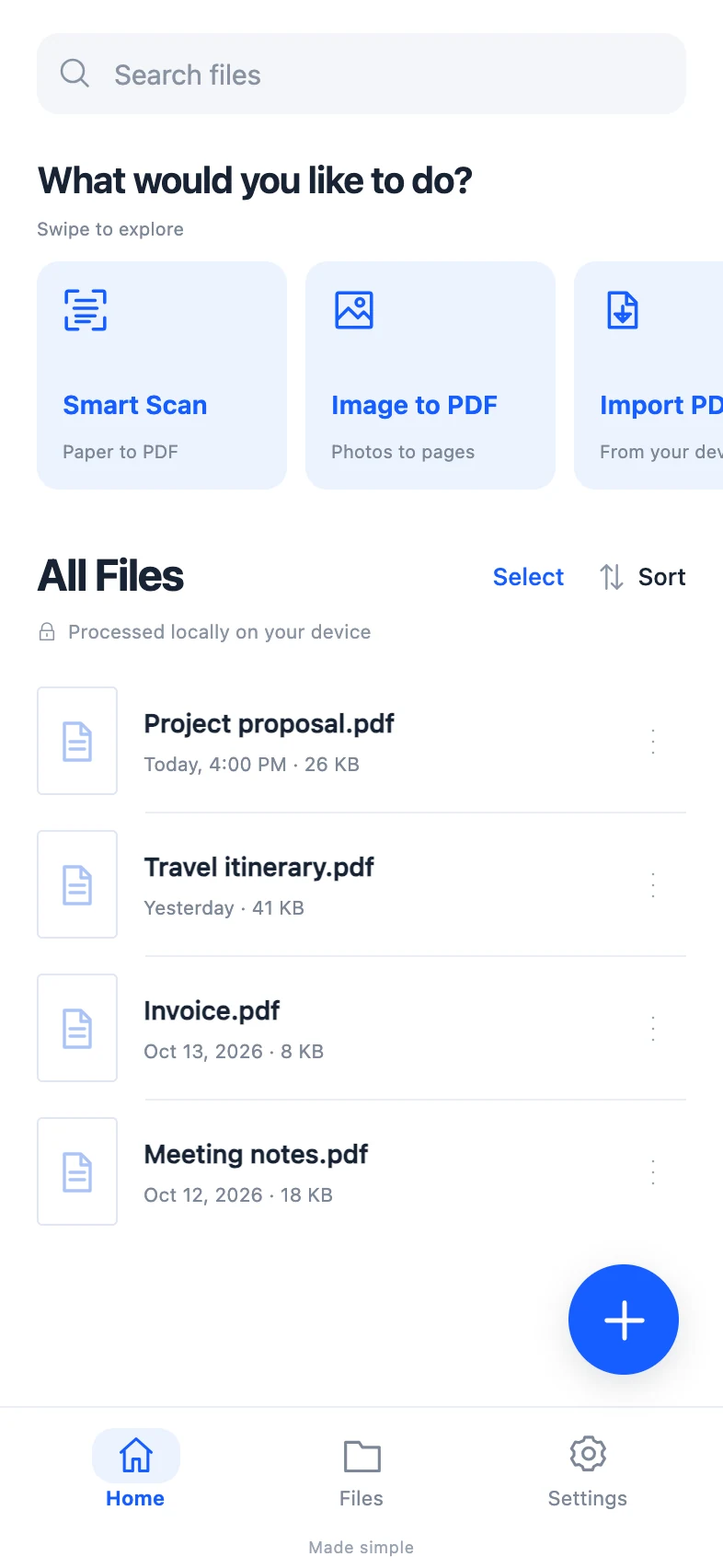
Three simple spaces to start a task, find a document and make PDFlipper feel like your app.
Your next task starts here.
One swipe. Plenty of possibilities.
- Smart Scan
- Image to PDF
- Import PDF
- Compress
- PDF to JPG
- Merge PDF
- DOCX to PDF
- PPTX to PDF
A LITTLE MORE YOU
Your language.
Your kind of color.
Eight interface languages. Four accent colors. A workspace that feels familiar from the moment you open it.
Try the preview. In the app, your choices stay with you after you close it. All four colors use a light background; Arabic supports right-to-left layouts.
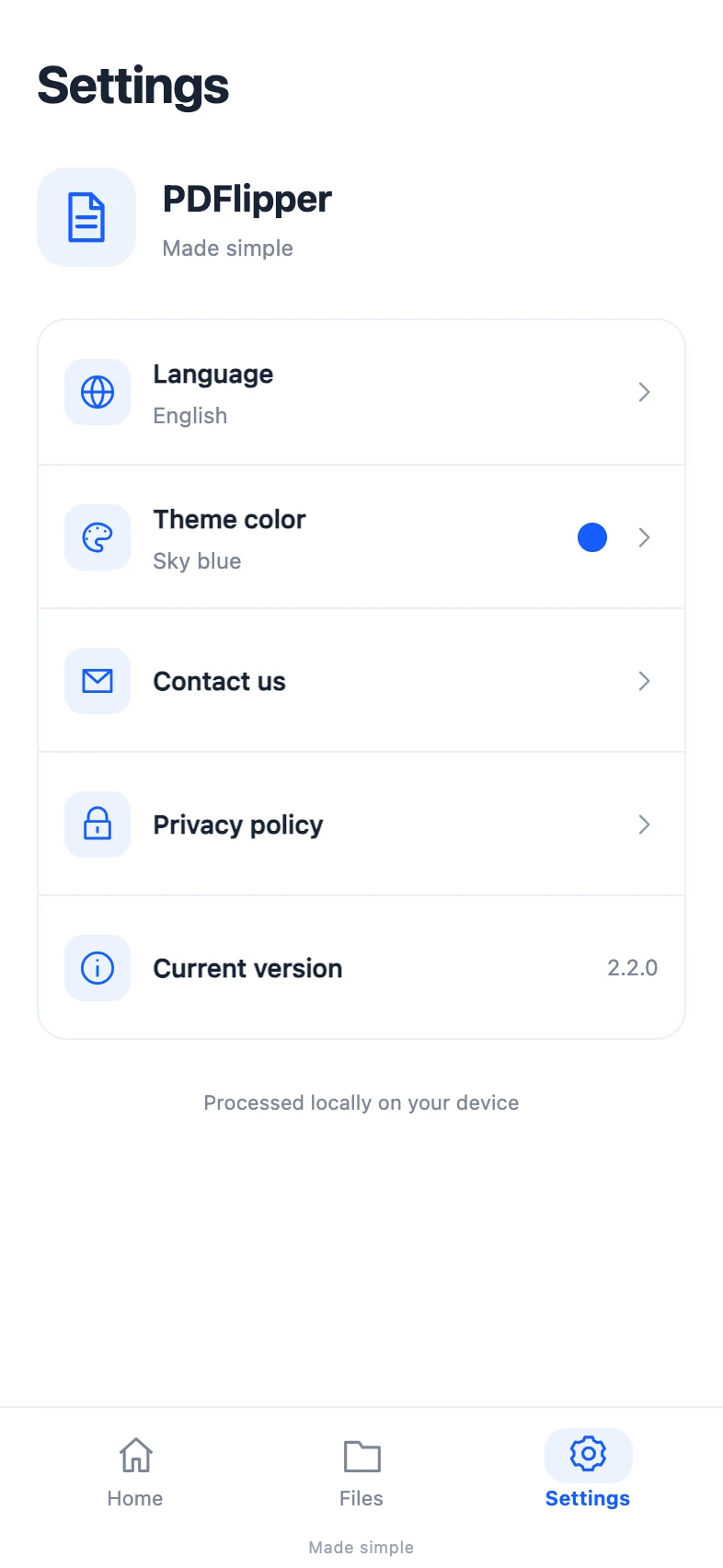
English · Sky blue
YOUR DOCUMENTS. YOUR DEVICE.
Keep your work
close to you.
Your PDF processing happens on your device, without uploading documents to a conversion server.
No sign-up to get started. You decide when to export or share. Save separate copies of important documents to your device so they stay with you if you uninstall the app.
Read our privacy policyWhere can I get PDFlipper?
PDFlipper is available for Android on Google Play. Visit the listing to check compatibility with your device and install the app.
Do I need an account or an internet connection?
No account is required. PDF processing takes place locally on your device. Downloading the app and sharing through online services may require an internet connection.
Can I change the language and color?
Yes. Open Settings in the app to choose English, Chinese, Hindi, Spanish, French, Arabic, Bengali or Portuguese, and sky blue, black, red or light pink accents. Your preferences are saved. File names and PDF contents are not translated.
Does scanning include OCR?
Scanning supports manual cropping, rotation and image adjustments. Automatic edge detection, perspective correction and OCR (text recognition) are not included.
What should I know about compression?
Compression creates an image-based PDF copy and keeps your original. Searchable text, links and interactive forms may be lost in the copy. Results vary, and some files may become larger.
Which Office files can I convert?
Basic DOCX and PPTX content is supported. Complex formatting, tables, themes and charts may not be preserved. Legacy DOC and PPT formats are not supported. Review converted files before sharing.
How do I keep a backup of my PDFs?
Use “Save to device” to keep separate copies of important files. Documents stored only inside the app are removed when you uninstall it or clear its data. You can also share copies to a storage service of your choice.
YOUR PDF ROUTINE, REIMAGINED.
A simpler day.
Starts right here.
PDFlipper. Made simple.